Shared matter workspace
Matter activity, communications, tasks, and documents are easier to inspect from a shared operational view.
Assist Mi helps legal teams coordinate work across matters, documents, emails, and tasks.
When ready, connect shared systems so Ava can help coordinate work across the team.
Legal Teams
Assist Mi helps each legal professional stay aligned around the work they own. With Professional connected systems, Ava can turn mailbox, calendar, document, notes, task, and follow-up context into shared matter activity without forcing every request into a separate workflow tool.
Recommended edition
Professional Edition
Common Challenges
The hardest part is rarely one isolated task. It is the volume of communication, context switching, and follow-up needed to keep legal work moving.
How Assist Mi Helps
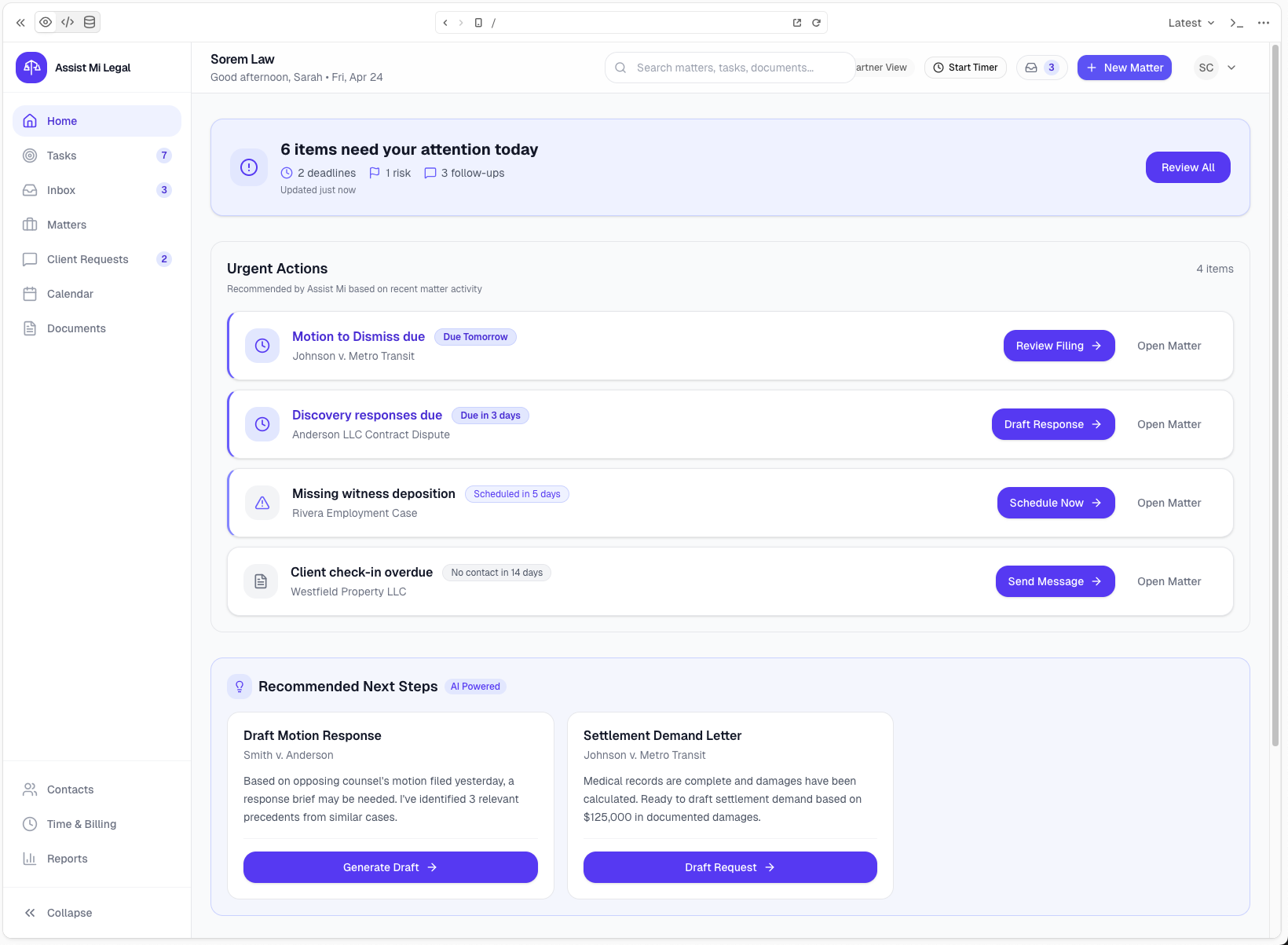
Assist Mi connects licensed communications, documents, tasks, approvals, and activity so legal teams can coordinate without constant status chasing.
Matter activity, communications, tasks, and documents are easier to inspect from a shared operational view.
Incoming requests can become assigned follow-up tasks with matter context attached.
Drafted responses and client updates can be reviewed, edited, and approved before delivery.
Open work, recent activity, and pending client follow-up become visible across the team.
Documents stay tied to matter work and can sync through configured document providers when connected document capabilities are licensed.
Teams can move from intake to follow-up to client update without relying on memory or one person's inbox.
Team Coordination
Assist Mi helps legal teams keep handoffs, review queues, task ownership, and matter timelines visible so work does not depend on hallway updates or one person's inbox.
Workflow Example
Assist Mi helps turn connected Professional context into shared work that the right person can review and act on.
Start with Standard and upgrade when ready, or talk with us about Professional onboarding for connected shared systems across matters, tasks, documents, and client communications.