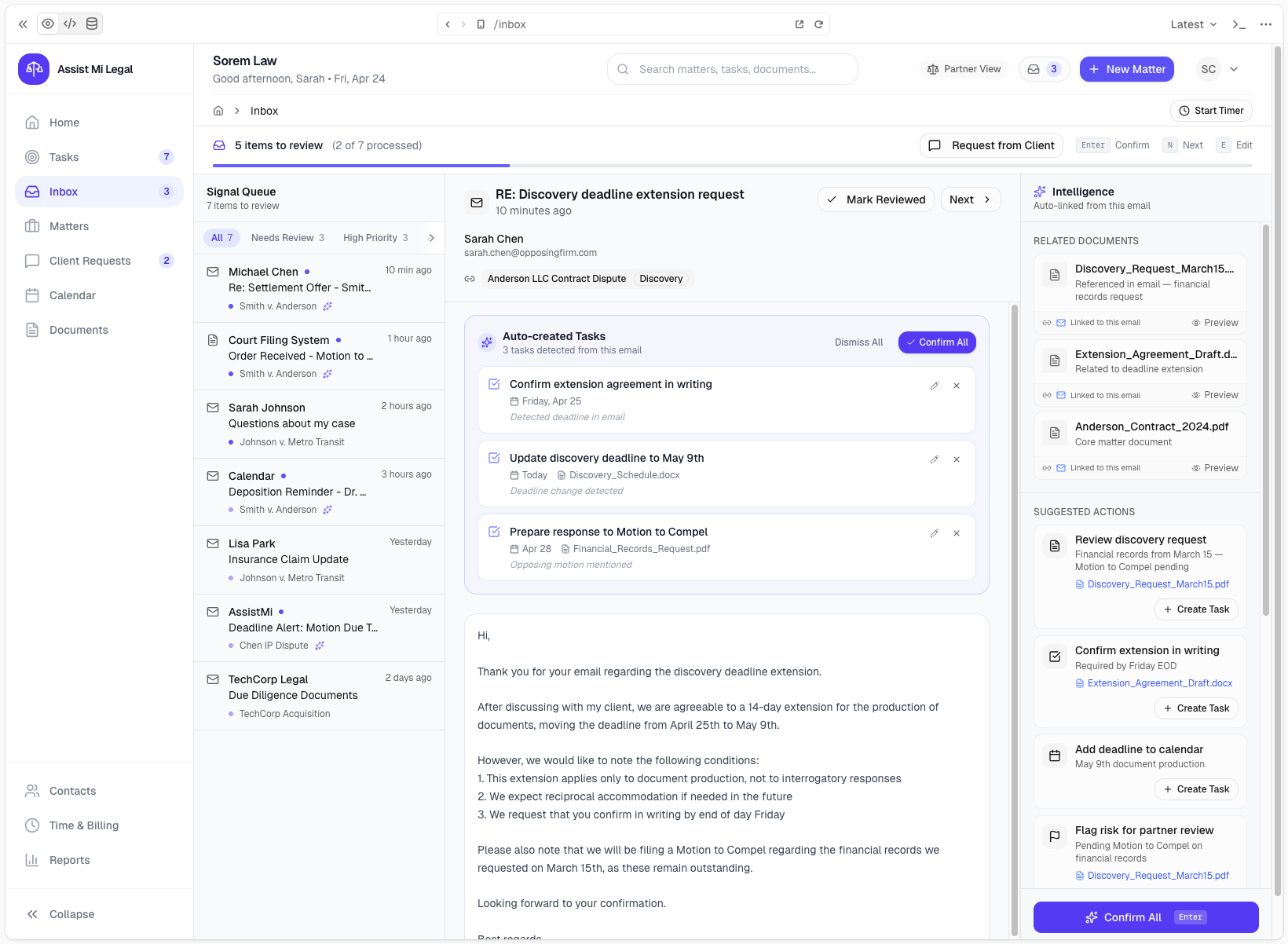
Email intake that understands matters
Incoming requests can be associated with the right matter, client, documents, and next steps.
Assist Mi gives solo attorneys an AI assistant that helps organize matters, manage client communications, and keep work moving forward.
Start simple. Forward selected work to Ava without connecting your entire workspace.
Solo Practitioners
Most legal software starts with the firm. Assist Mi starts with the professional doing the work. Start by forwarding selected emails, documents, attachments, notes, and meeting invites to Ava. No full workspace connection is required for Standard on-demand assistance.
Recommended edition
Standard Edition
Common Challenges
The hardest part is rarely one isolated task. It is the volume of communication, context switching, and follow-up needed to keep legal work moving.
Before
After
How Assist Mi Helps
Assist Mi helps turn the emails, documents, notes, and invites you share with Ava into organized matter activity, draft responses, and reviewable follow-up.
Incoming requests can be associated with the right matter, client, documents, and next steps.
Ava can draft updates, ask for missing details, and keep client requests from slipping through the cracks.
Emails, documents, tasks, and activity become easier to find because they are organized around matter work.
Drafts and suggested actions stay reviewable so the attorney remains in control of what goes out.
Matter-aware activity can be turned into billing-ready records for review before invoicing.
Open work, requests, and follow-up become visible without rebuilding the day from email.
Workflow Example
A solo attorney can keep working from the inbox by forwarding selected content to Ava, while Assist Mi organizes the operational work behind the scenes.
Start with the Standard Edition by sharing selected client communications, matter work, documents, notes, and follow-up with Ava.